For iPhone and Apple Watch
Just run.
We'll handle
the rest.
Find a race. Build a plan. Cross the finish line.

For iPhone and Apple Watch. iOS 26 or later.
Core features free. Optional premium plan coming later.
Your runs come with you
Your history comes with you.
Your runs are part of who you are — every mile that got you here. None of it gets left behind. Cursa reads your full Apple Health activity log on the first sign-in, and pulls in the rest from your old app's export.
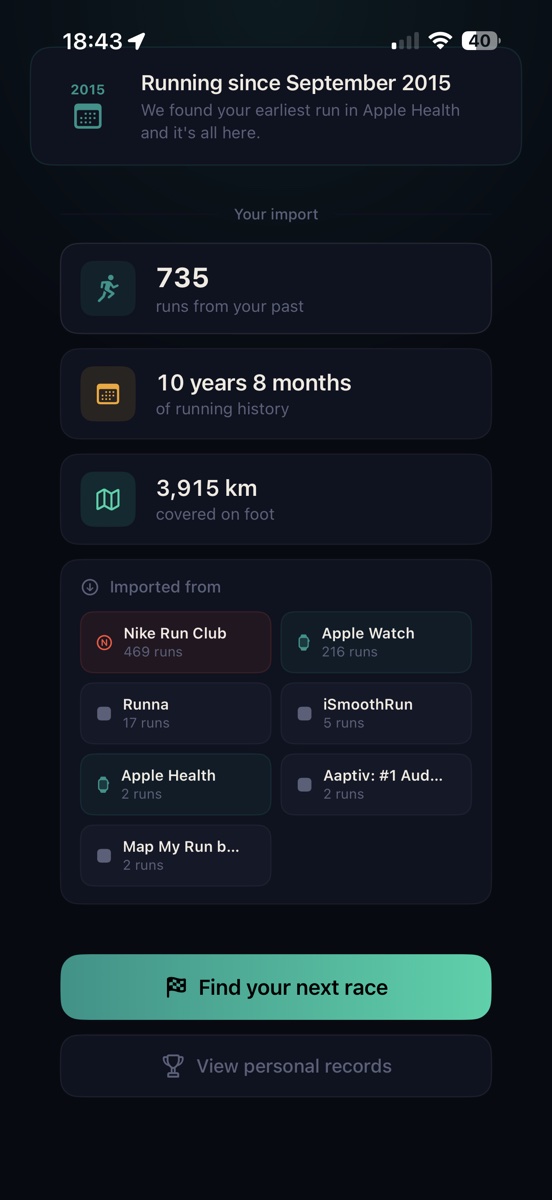
Every run already in Apple Health — from any app, any year — comes with you on day one. Distances, routes, paces, heart rates, splits. Cursa scans it on first launch and shows you what it found before you do anything else. Most people don't realize how much of their history is already on their phone.
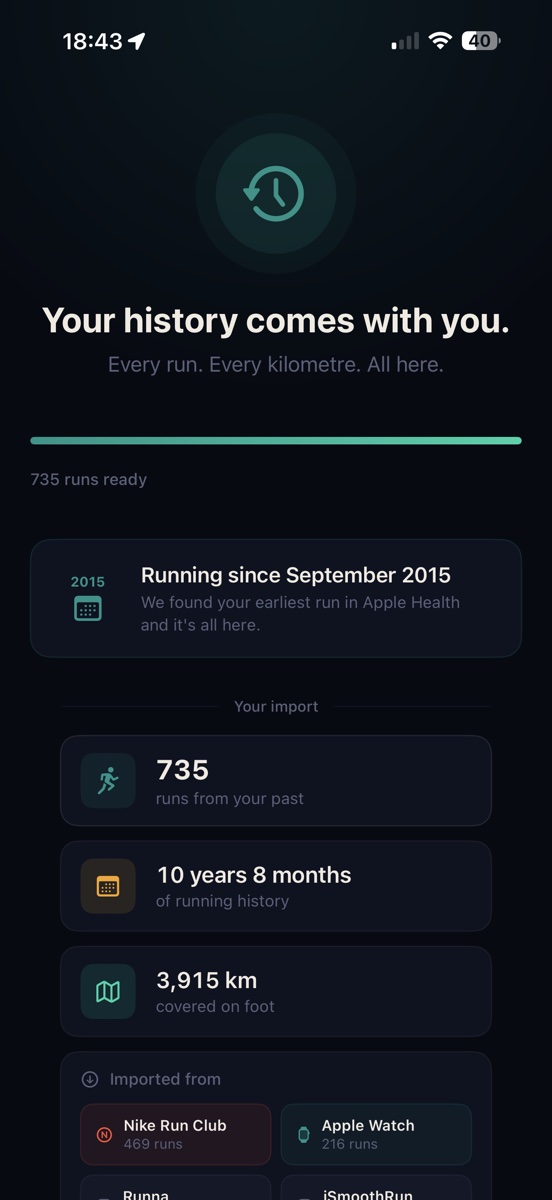
For the years before iOS Health existed, or runs that never synced — Cursa reads the export file your old app gives you. Runkeeper, Strava, Nike Run Club, Apple Fitness, all give you your data on request. Upload the file once. Cursa parses it, removes duplicates, and folds the rest into your history. Nothing gets left behind.
Import takes about a minute. Your originals stay where they are.
Switching apps
Coming from another running app?
Cursa was built so you don't have to start over. Whichever app you're leaving, the path in is the same.
Runkeeper users — your years of runs come in through Apple Health for everything synced since 2014, and through your Runkeeper data export for the years before that. Strava users — same path, plus your starred routes and segment efforts. Nike Run Club users — Apple Health covers everything Nike ever wrote there, which is most of it. Apple Fitness users — your activity is already on your phone; Cursa just reads it.
Ten years on another app isn't lock-in — it's how you got here. You shouldn't have to leave that behind to move forward, so you don't: it comes with you. What you actually leave behind is the stuff you've been working around — the boilerplate plans, the voiceover jokes that wore thin, the broken Apple Watch sync, the monthly bill.
And it stays yours. Your history is yours to keep and yours to take — no support ticket, no barriers, no asking permission. We keep the door open both ways. That's the difference between a home for your running and a place that holds it hostage.
No re-signup. No re-import workflow per app. The path in is the same for everyone.
Event discovery
Start with a race worth training for.
Cursa searches RunSignUp for events near you. Pick one. Your plan builds backward from that finish line.
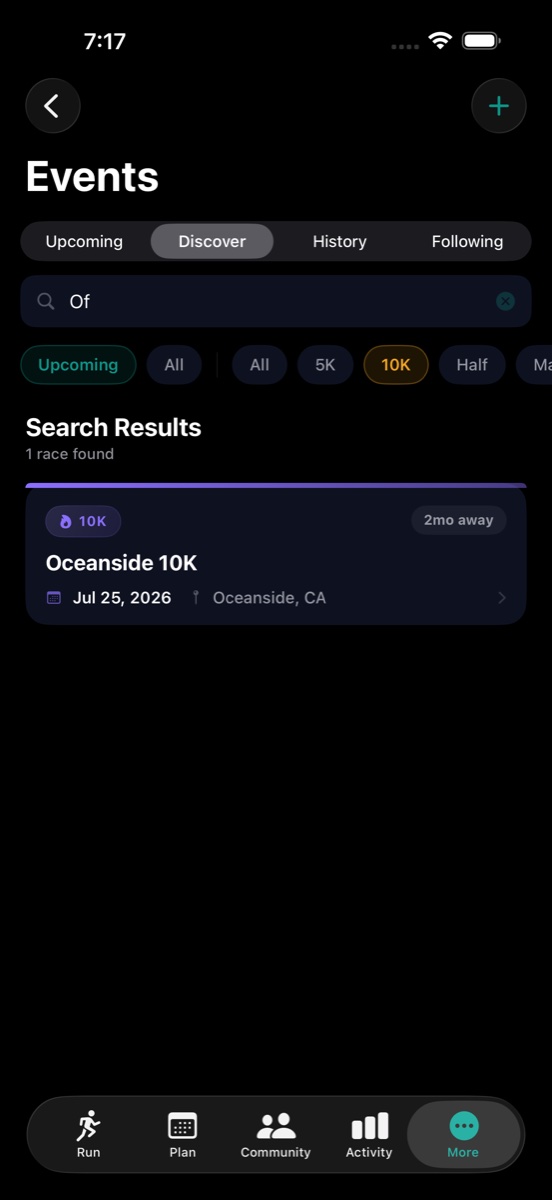
Road races, trail runs, and local 5Ks — filtered by distance and date, with locations near you pulled in automatically. Tap a race and Cursa has what it needs: the distance, the date, how many weeks you have, and where your fitness is now. Your plan isn't a twelve-week template that starts on Monday regardless. It starts from your race and works backward to today — every long run, every rest day, already placed.
No account needed to explore.
Adaptive plans
You can see exactly what moved — and why.
Not a silent reshuffle. The exact sessions that changed, with a plain-English reason beside them.
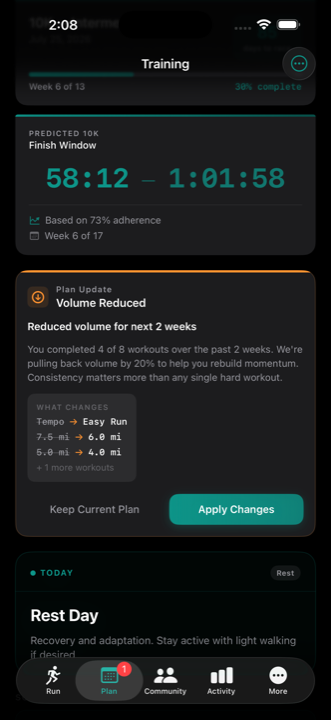
When Cursa adjusts your plan, it doesn't bury the change. It surfaces a card: what was swapped, what the new version is, and the specific reason — the actual workout count, the actual percentage shift in volume. You can read it, disagree with it, and keep the original. If you've missed workouts, Cursa pulls back volume before the deficit compounds. If you've been consistently running farther than prescribed, it will push your plan up to match. Either way, nothing moves without you seeing it first.
Tracking & coaching
Every run tracked. Feedback that reads the run, not a script.
Apple Intelligence means we don't send your run and training plan data to public LLMs like ChatGPT or Claude for coaching.
Cursa tracks GPS runs and treadmill sessions, saves everything to Apple Health, and detects personal records the moment your run ends — including best-effort segments inside longer runs. After each run, Apple Intelligence generates a coaching note based on your actual splits, not a template. As you train, your Predicted Finish Window updates week over week — so you can see where you're tracking before race day tells you.
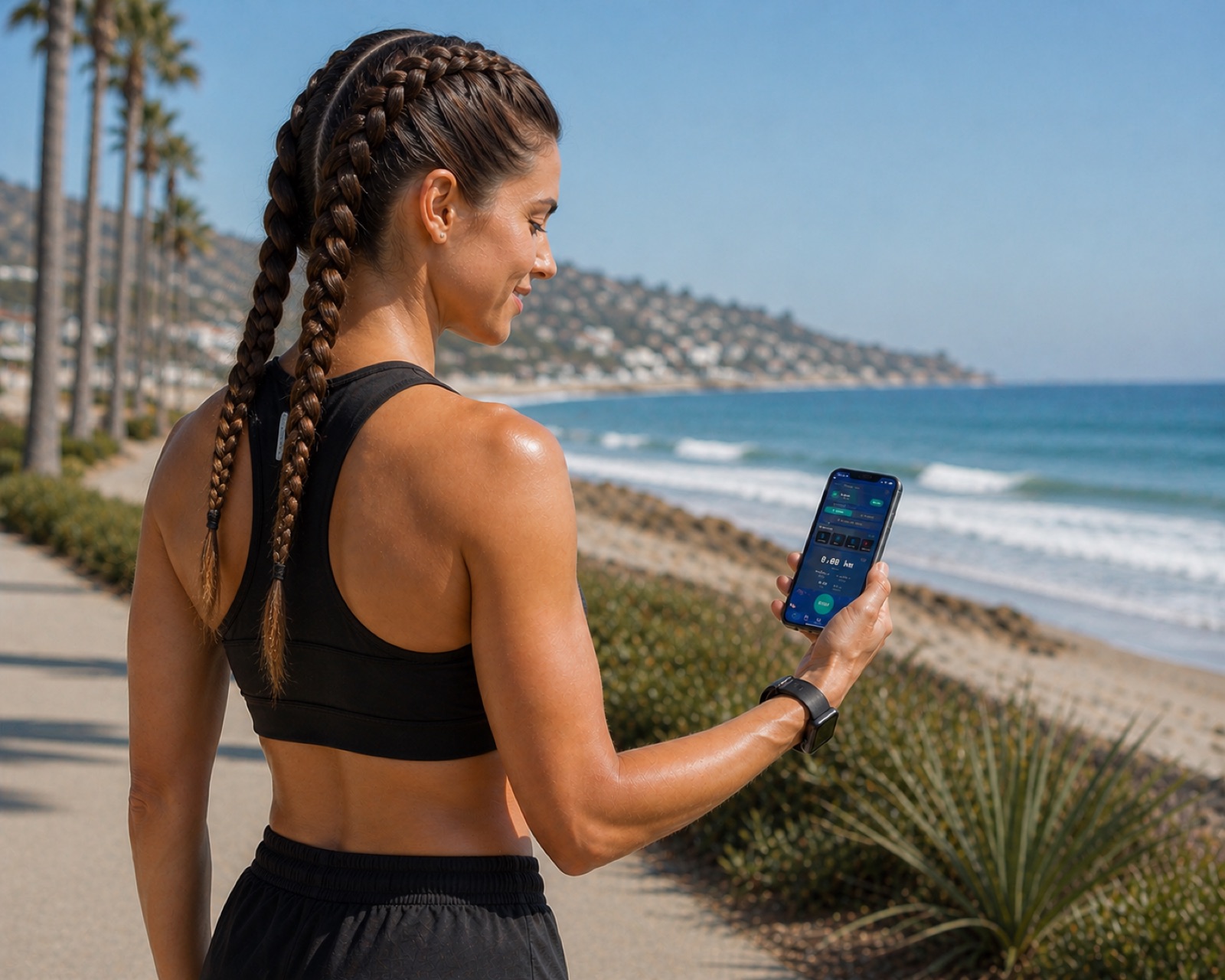
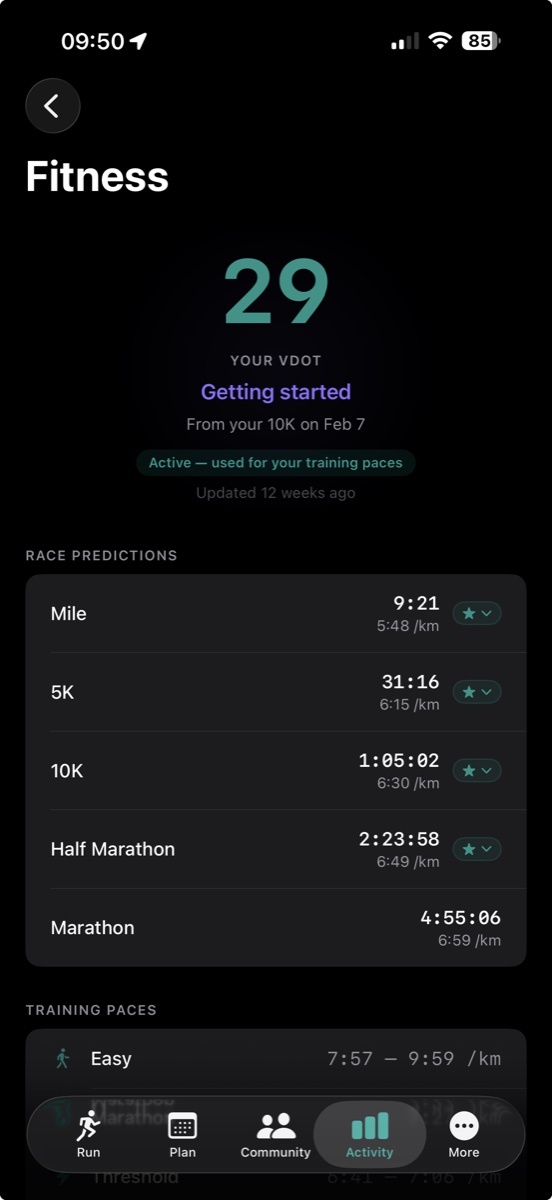
Compatible with iPhone 15 Pro and later for on-device coaching.
Race day
Race day, handled.
Live tracking, a cheer from the finish area, and your chip time waiting in the app.
Before you start, Cursa generates a live tracking link. Your family opens it in any browser — no app, no account, no signup. They watch a moving dot and an updating finish estimate while you run uninterrupted — cross the line, and your official chip time pulls in from RunSignUp automatically. Your record and your family are already there.
Live tracking and official results included. No subscription required.

Ready to run?
For iPhone and Apple Watch. iOS 26 or later.
Core features free. Optional premium plan coming later.