Requirements
What you need
Cursa runs on iPhone with iOS 26 or later. An Apple Watch is optional but recommended for heart rate tracking and wrist-based run control.
iOS 26 or later
Check in Settings → General → Software Update. Update to iOS 26 before installing Cursa.
Apple Watch (optional)
Adds heart rate, wrist controls, and lets you leave your phone behind on outdoor runs. watchOS 26+ required.
First launch
Granting permissions
On first launch Cursa walks you through each permission with a plain-English explanation before any iOS prompt appears. None of these permissions are used for advertising or tracking.
-
Required
Location — While Using Records your GPS route during outdoor runs. Cursa only reads your location while the app is active and tracking — never in the background when you're not running.
-
Required
Motion & Fitness Powers step count and cadence tracking during runs. Also used to estimate distance in treadmill mode when no manual speed is set.
-
Recommended
HealthKit — Read & Write Gives Cursa access to your full Apple Health run history, not just runs you've logged inside the app. That history is what Cursa uses to personalise your training plan, calculate your fitness estimate, and detect personal records from before you installed — without it, all three start from a blank slate. It also saves your completed runs back to Apple Health and backfills shoe mileage for any pair you add with a start date that predates your Cursa install.
-
Optional
Notifications Sends personal record alerts and training plan reminders. All notification types can be toggled individually in Cursa's Settings tab.
Navigation
The five tabs
Cursa's tab bar gives you one tap to anything. Here's what lives where.
Run
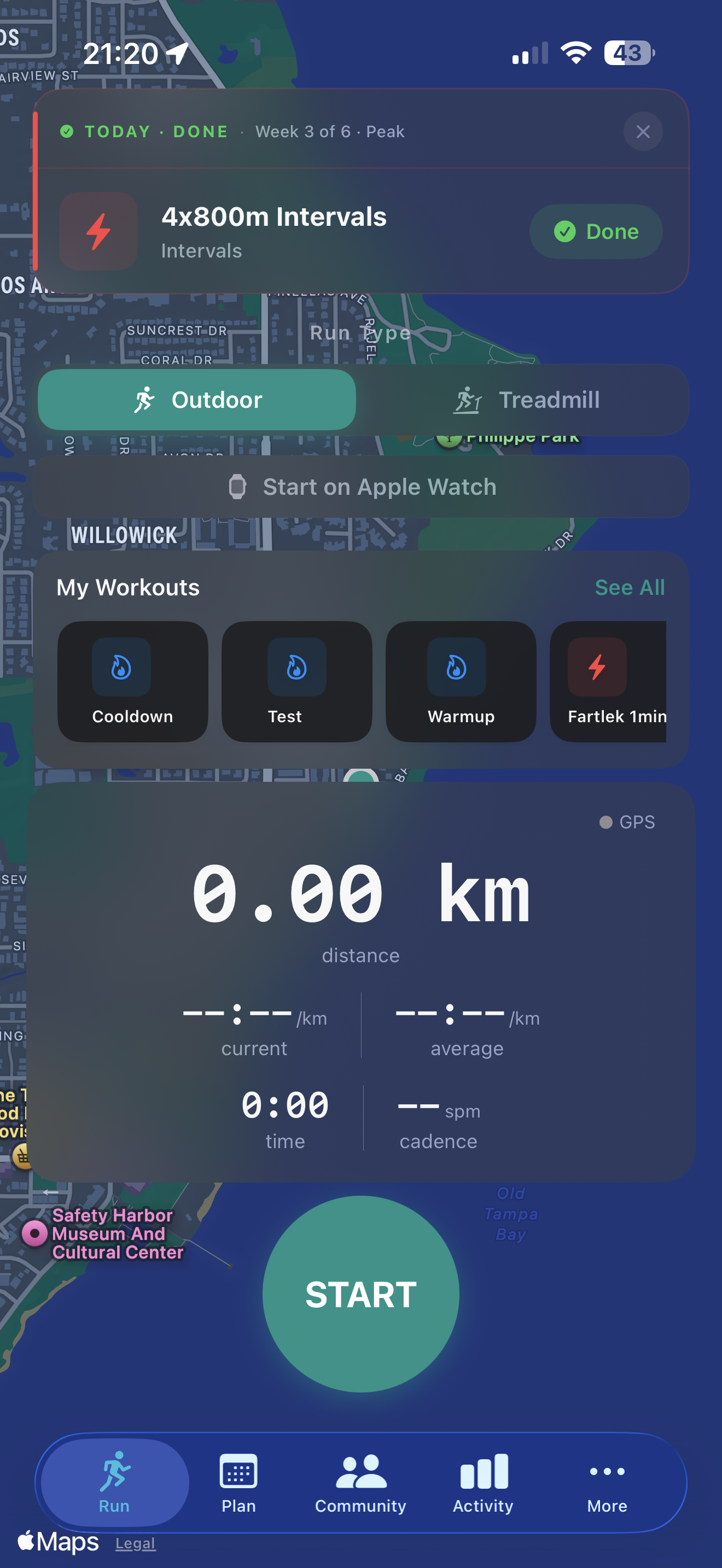
Start an outdoor GPS run or indoor treadmill session. Also shows today's scheduled workout from your training plan if one is active.
Plan
Your active training plan with this week's schedule, today's workout, plan adaptation cards, and the interval workout builder.
Community
Browse and join run clubs, RSVP to club events, and follow other runners.
Activity
Your run history, weekly and monthly mileage charts, pace trends, training load heatmap, and personal records — all in one dashboard.
More
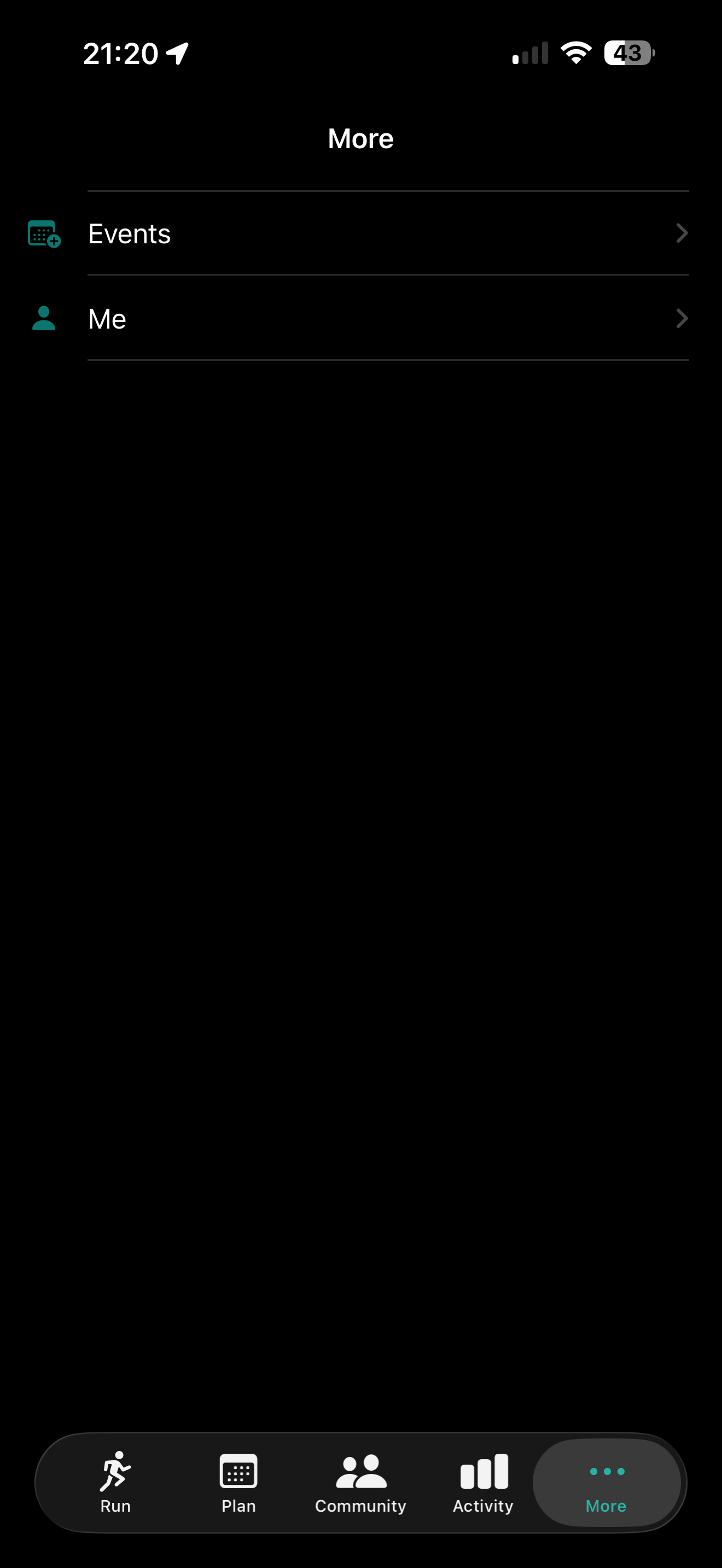
Houses Events (discover and track upcoming races) and Me (your profile, race results, shoes, and app settings).
Quick start
Log your first run in 30 seconds
-
1
Tap the Run tab
The pre-run screen appears. You can start immediately — no setup required for a basic outdoor run.
-
2
Choose your mode
Outdoor uses GPS. Treadmill uses your iPhone's motion sensors — no setup required. The toggle is at the top of the screen.
-
3
Tap Start Run
A 3-second countdown plays while GPS locks, then your live metrics screen appears. Distance, pace, duration, and heart rate update in real time.
-
4
Finish and review
Tap the stop button, then review your post-run summary. The run saves automatically to Apple Health.
Next steps
Get the most out of Cursa
Add your shoes
Go to Me → Shoes. Cursa reads your Apple Health history to backfill mileage automatically — no manual entry needed.
Import your race results
Go to Me → Race Results → Find My Results. Search RunSignUp by name to pull in your official race history instantly.
Set up a training plan
Go to Plan → New Plan. Pick a goal race and a start date — Cursa builds a week-by-week plan and adapts it as you train.
Set up Apple Watch
See the Watch guide to install the companion app and start your first wrist run.
Continue reading
iPhone documentation
Guide
Run Tracking
Outdoor GPS, treadmill mode, live metrics, splits, and the post-run summary.
Guide
Training Plans
Adaptive plans, the interval workout builder, and AI coaching feedback.
Guide
Results, PRs & Shoes
Personal records, race result import, shoe tracking, and analytics.
Guide
Social & Events
Following runners, run clubs, group runs, and race discovery.
Guide
Accessibility
Dynamic Type, VoiceOver, Larger Text, and Lock Screen widget behaviour.